It's been several years since I last wrote a long, detailed article on a specific topic. In my previous blog at estevecastells.com I wrote some articles that can now be found as archives on this Medium, but they are basic and short articles.
With all the buzz that Google Discover is generating (and rightly so), I've taken the liberty of resuming this activity, since it's also among my OKRs this year to publish articles again on top of continuing with my SEO newsletter.
As a disclaimer, Google Discover is new to me (in fact I know little to nothing about it) but I want to keep learning about this traffic source, and this article will be updated periodically with new findings, so I recommend bookmarking it if you're interested in the topic.
If you're expecting a big trick that will get you a million visits a day from Google Discover, I'm sorry, but I'd keep that to myself and in two weeks I'd already be living in Bali with a mojito in one hand and my Mac in the other checking Analytics in real-time.
This article is more of a reflection or essay with some notes for now.
First things first, what is Google Discover?
For those out of the loop, Google Discover is a relatively new Google feature available only (at least for now) on mobile devices.
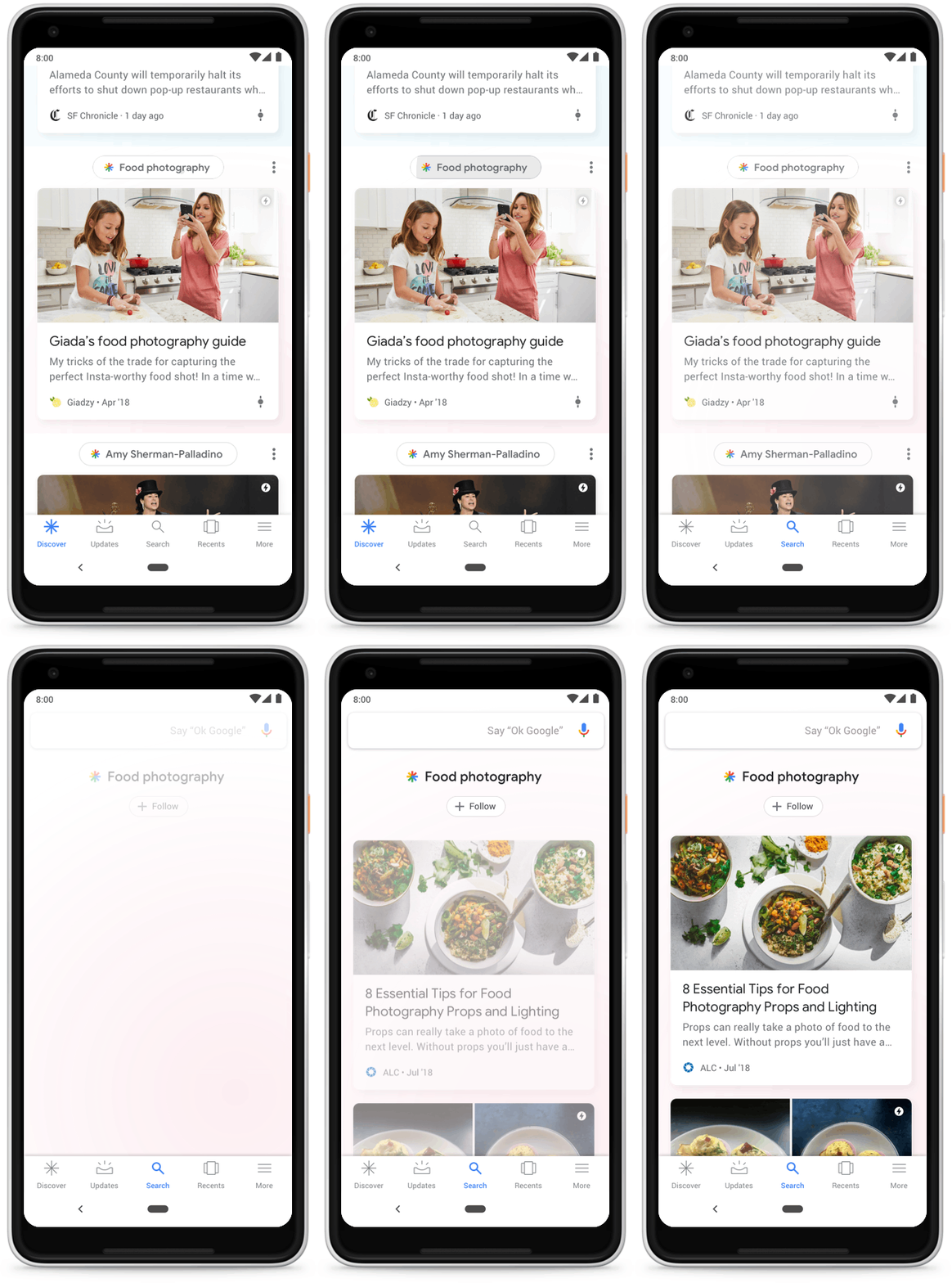
This feature can be found on most modern Android versions in the Google tab by navigating left in the main menu, or in the Google app itself.
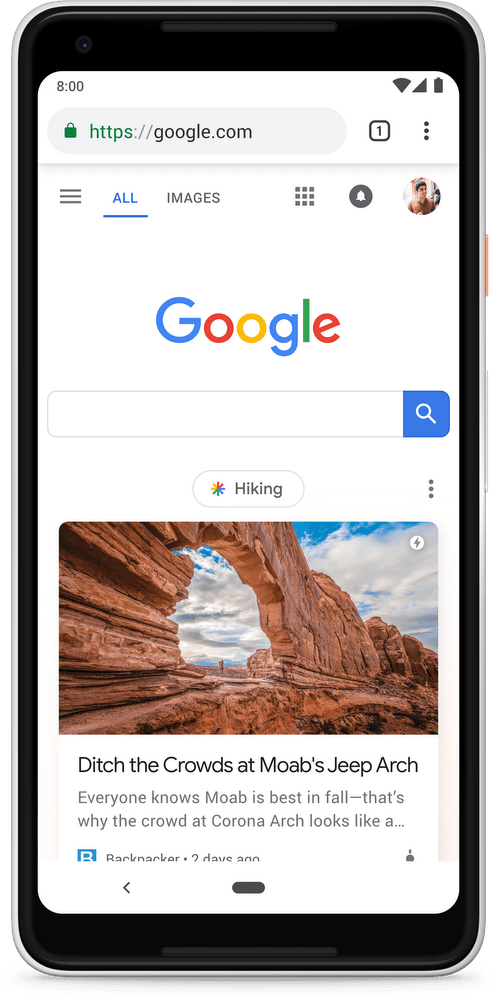
It has also been seen in some versions of Chrome for mobile, though these seem to be experiments for now.
When I had a Xiaomi I had already been researching the topic, but I set it aside when I switched to iPhone and didn't have the native version. Now Google has started pushing this feature in more placements, giving it more visibility and therefore driving more traffic to the various websites that appear in it.
It's especially important to understand what purpose this traffic serves in order to understand what we can expect from it.
Introduction to the concept of Search and Discovery
There are two main types of browsing experiences on the internet. The first is Search.
Search is, well, searching — it's Google's search engine itself: as a user, I know what I'm looking for and I use the keyboard (or now also voice search) to reach the answer. It's a transactional concept — not to be confused with economic transactions — but in Search there's usually a clear intent that once the user satisfies it, fades away.
We're talking about an informational search, a news article, or any other type of content, as well as simply navigating to a website or looking for a product.
When we work with Search, we have a very clear idea of what the user is looking for (or not, let's be honest) but what we do know is that they're looking for something specific and what word they use to tell us what they're looking for.
When I talk about Search I don't just mean Google. Search is the WordPress search, but it's also Search when we use the search bar on our favorite ecommerce site.
Search is really complicated. In fact, it's probably for this very reason that Google hasn't been dethroned — for now — it has nothing to do with having created an ecosystem that keeps you 100% tied to its various services and makes it almost impossible to leave (this is meant ironically, just in case).
[Everyone knows or should know that Google and Bing offer pretty similar results for most queries, practically imperceptible to most people, and especially without being able to compare 1:1]
Getting back to the point, if the first part of the puzzle is Search, the second is Discovery.
Discovery is the second concept the internet is built on. Instead of proactively searching for content, the content comes to us.
Google didn't invent this concept — it's the model that social networks are based on, or in other words, what until now were social networks: feeds (Hello Facebook).
I say this because Facebook announced that it wanted to become a much more private social network focused on groups and private conversations, which makes sense given that their feeds are pretty rotten due to low and low-quality activity.
So we've established that Google Discover is a feed that's still relatively green but will evolve to become the best (qualitatively speaking — we all know our Instagram lives will always be more perfect) non-social feed.
The concept of Discovery is the opposite of Search: we sit down and scroll with our finger while an algorithm has selected the best content for us. But at the same time they're complementary, and Google was missing that piece of the puzzle. They tried it with Google+ with a social twist and it didn't work; now they have another chance with a completely different approach.
Feeds have a component that Search doesn't: addiction, or at least, recurrence. Nobody frantically searches for 3 hours a day unless they need to (i.e., an SEO), but that does happen with feeds.
Google is the king of information. If anyone has data and knows how to use it, it's Google. Facebook & Co do it well too, but Google is better.
Not because they have better engineers, but because their Knowledge Graph and the type of data they have about their users lend themselves more to making this kind of feed successfully, along with the proper use they give it, obviously.
That's why I believe — putting on my fortune teller hat — that Google Discover will be, in the long term, Google's second largest product in terms of referred traffic volume (if it isn't already, which is likely). And if it weren't for the fact that Search is extremely large and Google has a monopoly in much of the world, it could even surpass it.
Having information come to us will always be more convenient than having to go look for it ourselves. It won't work for everything, but we've already seen that feeds are very convenient, and for someone with Google's expertise and data, it will be a matter of time before it takes off and becomes a stellar product.
Having explained both parts of this puzzle called the Internet — where Search (active) and Discovery (passive) live — we've now understood at its root why Google launched this product and why it will continue to bet heavily on it.
The underlying reason: money
Let's not forget that Google is a company that predominantly lives off advertising revenue.
They already announced at Google Marketing Live that ads will soon arrive on Google Discover. In fact, I can confirm that at Adevinta there are marketplaces that will be the first to try it, so if on top of traffic and engagement it also brings in money, all the better — Google is not an NGO.
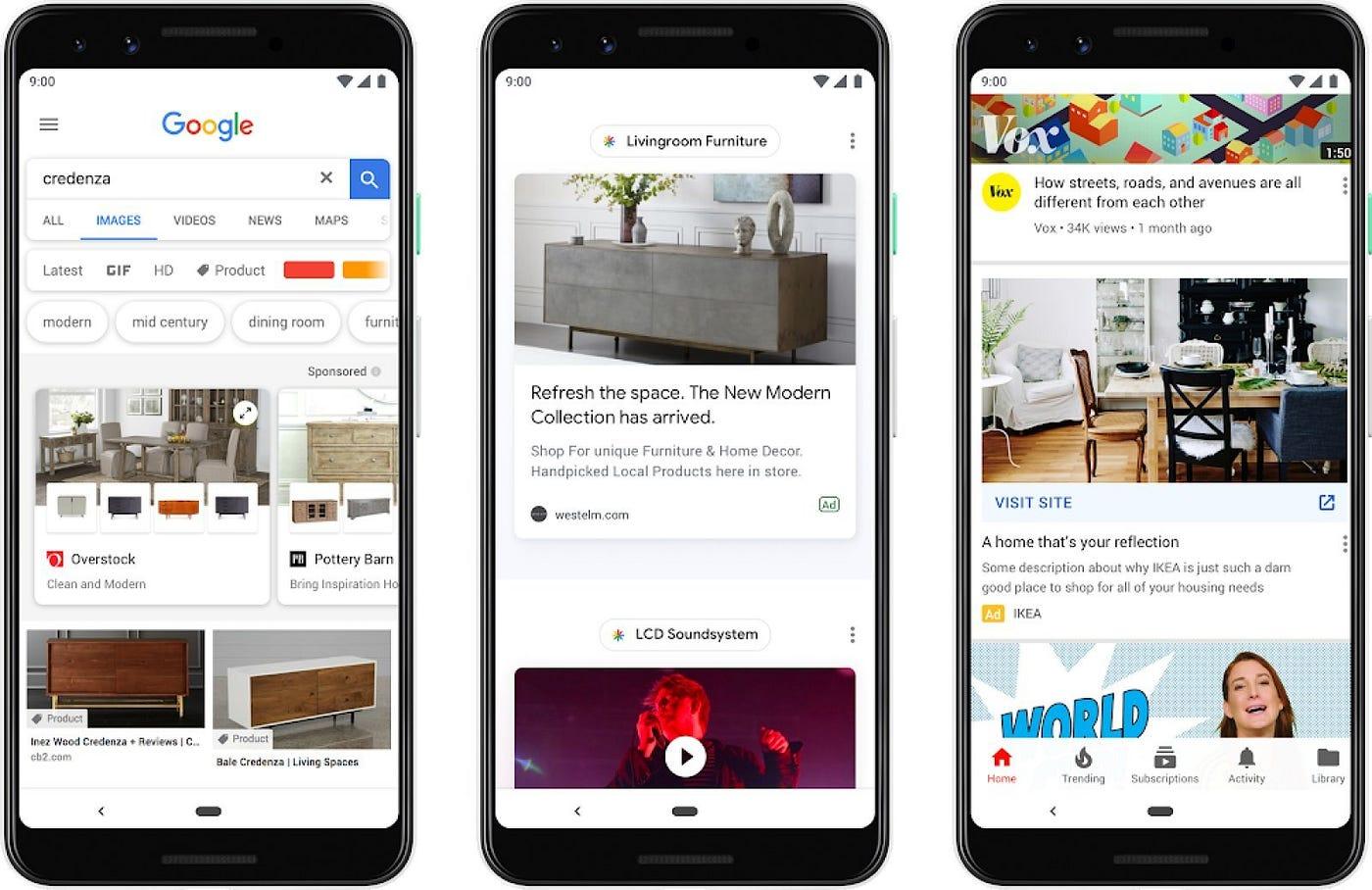
Google has seen that its advertising revenue has experienced a lower growth rate than expected. A very simplistic analysis — which I won't fall into — would be to say that this will solve the problem, but the more quality impressions they have to sell to their advertisers, the better their chances of increasing revenue.
Google Discover data now in Google Search Console
Behind the scenes, Google Search Console is probably one of the most legacy and dependency-heavy products at Google, which is why it's undoubtedly the worst-functioning product in the entire company. So this commitment to incorporating Google Discover is at least for me a clear signal that this isn't going to fade away in a couple of months.
While it's true that the data Google Discover gives us is relatively basic, and in some cases frankly useless, it's a start and it gives us something to work with.
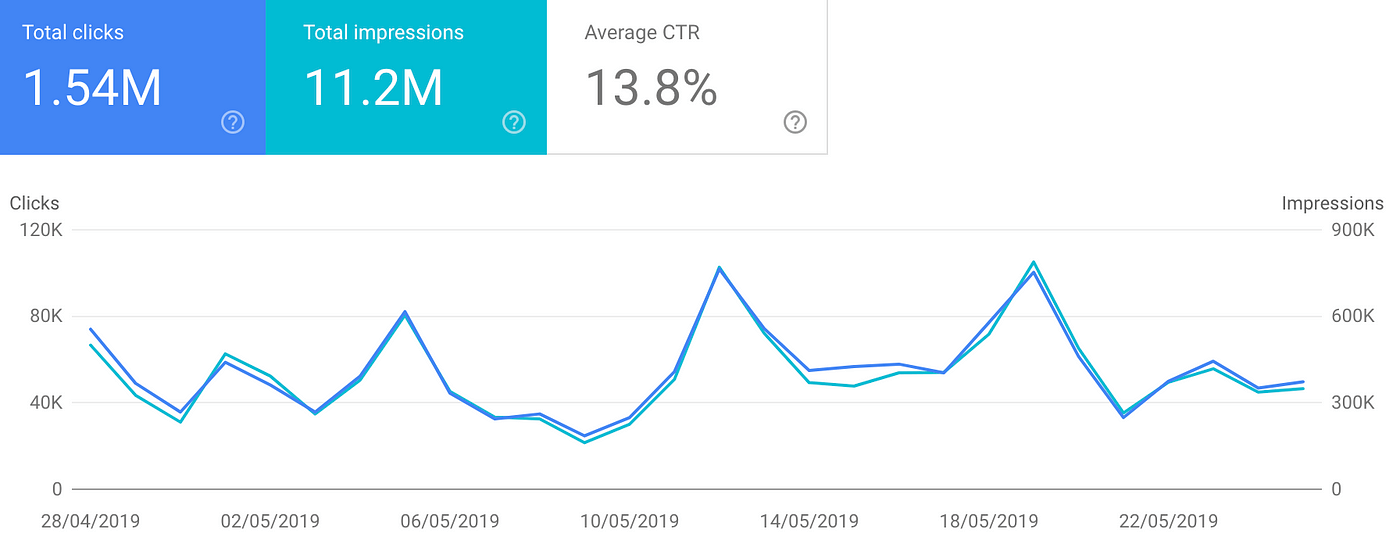
As of today, Google Search Console gives us clicks, impressions, and CTR both at the site level and the URL level.
In Google Search Console, we want to understand two things:
- My URLs are attractive enough to receive impressions.
It's reasonable to assume that Google uses either the Search index itself, or an adapted/simplified version of it, to build parts of Google Discover.
This means that just like in SEO, there are quality, popularity, and relevance filters.
It would be naive to think we are doing or can do anything specific to appear more and better in Google Discover, since right now this is in its infancy and we don't even have data to analyze in third-party tools.
What we do know is a good indication: if there are impressions, Google has found some kind of interest in this document.
2. My URLs are attractive enough to receive clicks.
Social media marketing has never appealed to me much (I suppose because of the big lie built around community managers), but everyone knows that one of the main metrics driving Facebook's feed is engagement (likes, comments, shares) as well as the CTR generated by posts. We can assume Google does the same.
Much of the content that appears in Google Discover consists of articles, and specifically, news. There are also typical Search results like football match scores, but for articles, the main success metric is the click, especially for Google since there is no social interaction at all.
Clickbait is something I imagine they fight and will continue to have to fight. That said, they already combat it in the SERPs, so it shouldn't be an extra effort for Google.
If we have a relevant number of impressions but no clicks, it's highly probable that we won't appear much more because Google understands that users aren't interested in our content.
I don't want to jump to conclusions, but a good CTR in Google Discover is between 5 and 20%. I'm basing this on data from more than 28 properties I have access to, and I don't see any URL achieving a relevant number of total clicks if its CTR is extremely lower than 5% (a few at 4.X% but none below 3%).
The Google Discover button doesn't show up in Google Search Console if you haven't had impressions in the last 28 days. However, access is still possible, so you can substitute your domain in this URL and check if you've had impressions in older periods.
Update: Another thing I've noticed is that sometimes the data shown by Google Discover is sampled and doesn't match reality.
Sizing up the beast: Google Discover's volume
Google Discover's volume is large enough to pay attention to. According to Google itself, it already has more than 800 million users, and it keeps growing. It appears to be an important bet by the Mountain View giant.
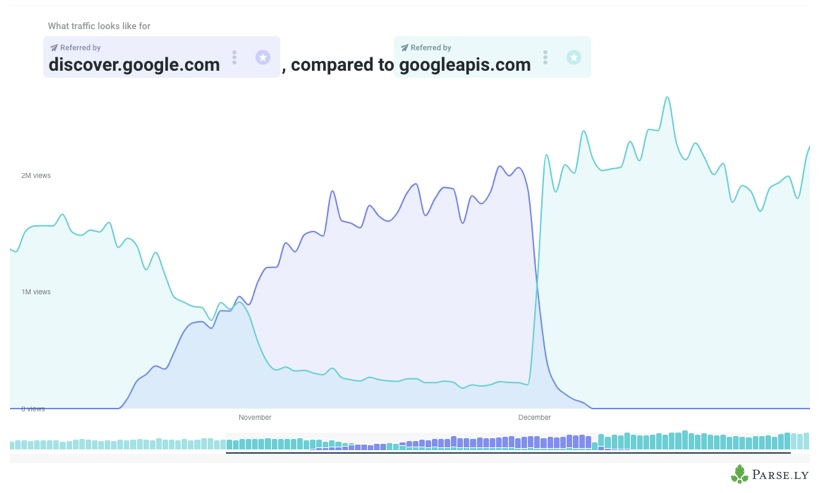
The volume is such that some news websites already get as much or more traffic from Google Discover, and some non-news sites already see it exceeding 10% of their total traffic.


More about Google Discover: what can an SEO do to optimize for Google Discover?
As I mentioned in the disclaimer, there's no magic trick to squeeze juice out of this source, for now.
Below I'll share some other observations and hypotheses, many still pending validation, that I've been testing and verifying with the data I have.
Google News
To appear in Google News you need to be registered in Google News Publisher Center, among other technical requirements like an XML sitemap with specific conditions.
Update: With the latest changes to Google News Publisher Center, it no longer works the same way.
Looking at Google Discover, almost 100% of my recommendations are from news or content websites registered in Google News. As several people have pointed out since I published the article, especially on Android, Google is able to personalize results much more with sources that aren't Google News.
Does this mean it's essential to be registered in Google News to appear in Google Discover?
The short answer is no, it's not necessary, though it's highly unlikely to appear without being registered, at least in recommendations based on topic/entity interests (not those based on our behavior).
I have several examples of websites that frequently appear in Google Discover and are not registered in Google News. They're not even news sites.
The clear pattern is that these websites generate a lot of engagement and recurrence, so the algorithm has a component that takes these factors into account when suggesting content to the user.
How does this engagement and recurrence component work? No idea, for now.
To check whether a website that isn't ours is registered in Google News, we can look in the SERPs themselves with a site: command
Entities
Another easily recognizable thing when looking at Google Discover is that it's based on entities — specifically entities that are part of the same Knowledge Graph used for Google Search.
If the core content that Google Discover recommends (based on interest, without taking recurrence into account) is based on Google News content, and these are clustered based on entities, it's relevant to:
- Make sure our content is related to the various entities.
- Create and optimize content for the most popular or trending entities.
How can we know this?
As of today, we don't have any tool that supports Google Discover data, and I don't think there will be one in the short term because the data is personal-level, and in-app, which adds many layers of difficulty for processing.
In reality, we don't need this data for now, since Google is a very interconnected ecosystem, and we know there's a strong connection with Google News. So we can use various tools that track trends in News, as well as Google Trends, which shows us trends and also mentions trending entities — something we can tie to the content that will presumably appear in Google Discover.
Another source of entities, though not queryable, are the entities in Google MyActivity. The vast majority of entities that appear in my personal list also appear recommended in Google Discover. I don't think they use the same recommendation engine, but it could be similar.
Update: A way to appear in entities that interest you and don't yet exist is to create them directly. Using Wikipedia and Wikidata you can do this.
Structured data from Schema.org can also be used for this purpose. Google's Entity API can be a good source, notes David Esteve.
Images
Do we want images in Google Discover? In the case of Google Discover, we're not just interested in them because Google might rank us better (if it does), but because it will increase our CTR — which is always beneficial, whether it influences ranking or not.
Regarding dimensions, Google processes each of our images and resizes them, so all we need to do is:
- Make sure they're not too heavy, otherwise Google might skip them.
- Make sure they're high quality.
- Make sure they have the right proportions for Google. Images appearing in Google Discover today have 1:1 (square) and 16:9 proportions.
Update: David Ramos notes that 1200px wide images for the full-width card tend to perform better than the rest, and these images may not be visible on the website itself but can be only in the NewsArticle Schema markup. Google also mentions this in the guidelines for Google Discover.
We also now know that to enter Google Discover you don't need to fill out any form, but if we want to get the featured image, we need to fill out this form or use AMP (I'd do both).
Videos
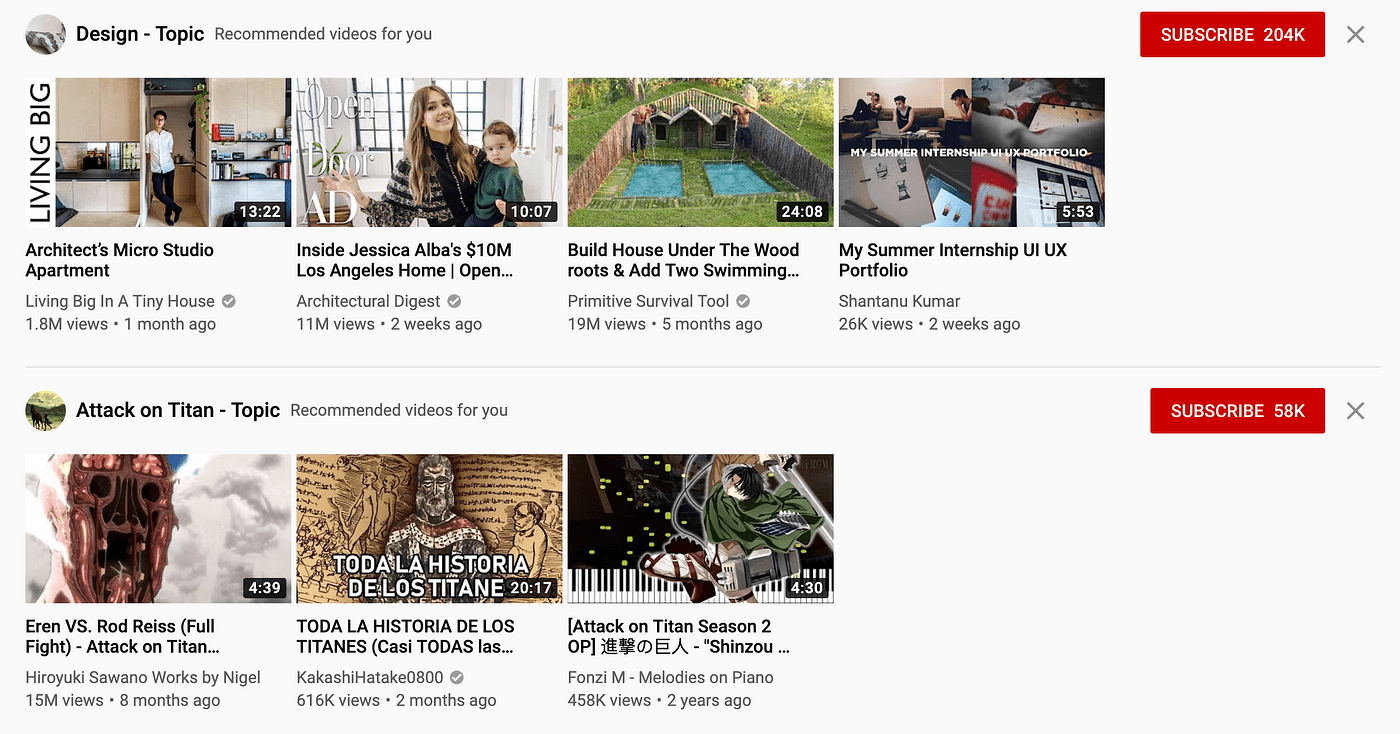
Google owns YouTube, and Google loves video. While it's true that video has never been hugely successful in the SERPs, it's likely that in the Google Discover feed there will be increasingly more video-related content, and consequently, YouTube. There already is, though at least for me it appears relatively rarely.
YouTube already has a feed on the app's homepage with content highly relevant to our tastes and subscriptions, so it's likely this will be partially integrated into the Google Discover feed soon.
Update: I'm seeing more and more videos, though from what I've observed it only shows new content — they don't tend to be evergreen videos.
Multiple languages
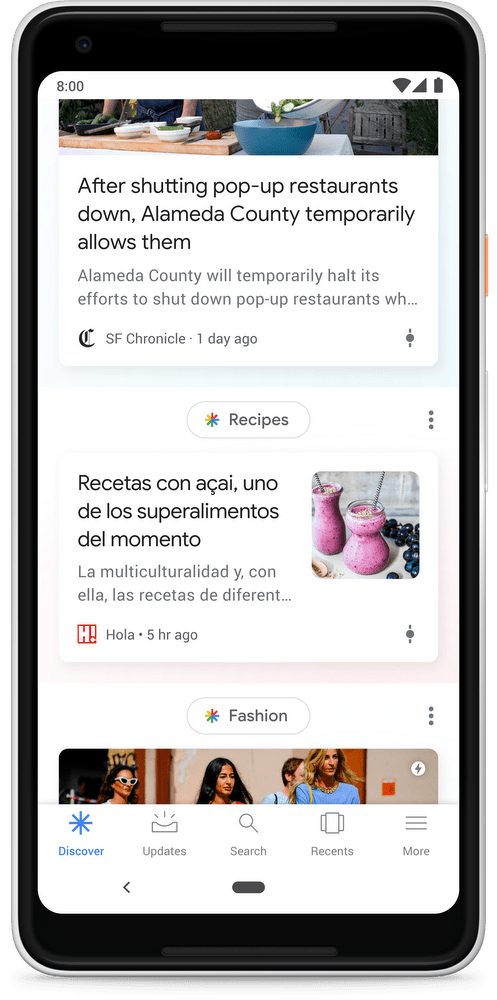
Google Discover takes the language from your browser settings, but offers you content in all the languages you speak.
This means that the more widely used a language is, the more prominence it will have as a secondary language for many people who would otherwise not see it (for example, English in Spain).
Writing in Spanish already gives us access to appearing across all of Latin America, and Spanish is the third most spoken language in the world, so that's good news. I don't think you need to create content in languages you wouldn't naturally create it in, but if you already do, good for you.
Evergreen content
In the initial launch article for Google Discover, Google mentions that evergreen content also appears in Google Discover.
While I've found some specific cases, most of the content appearing in my feed as well as the content receiving traffic across my 28 properties is fresh content, less than 7 days old (more like 48 hours).
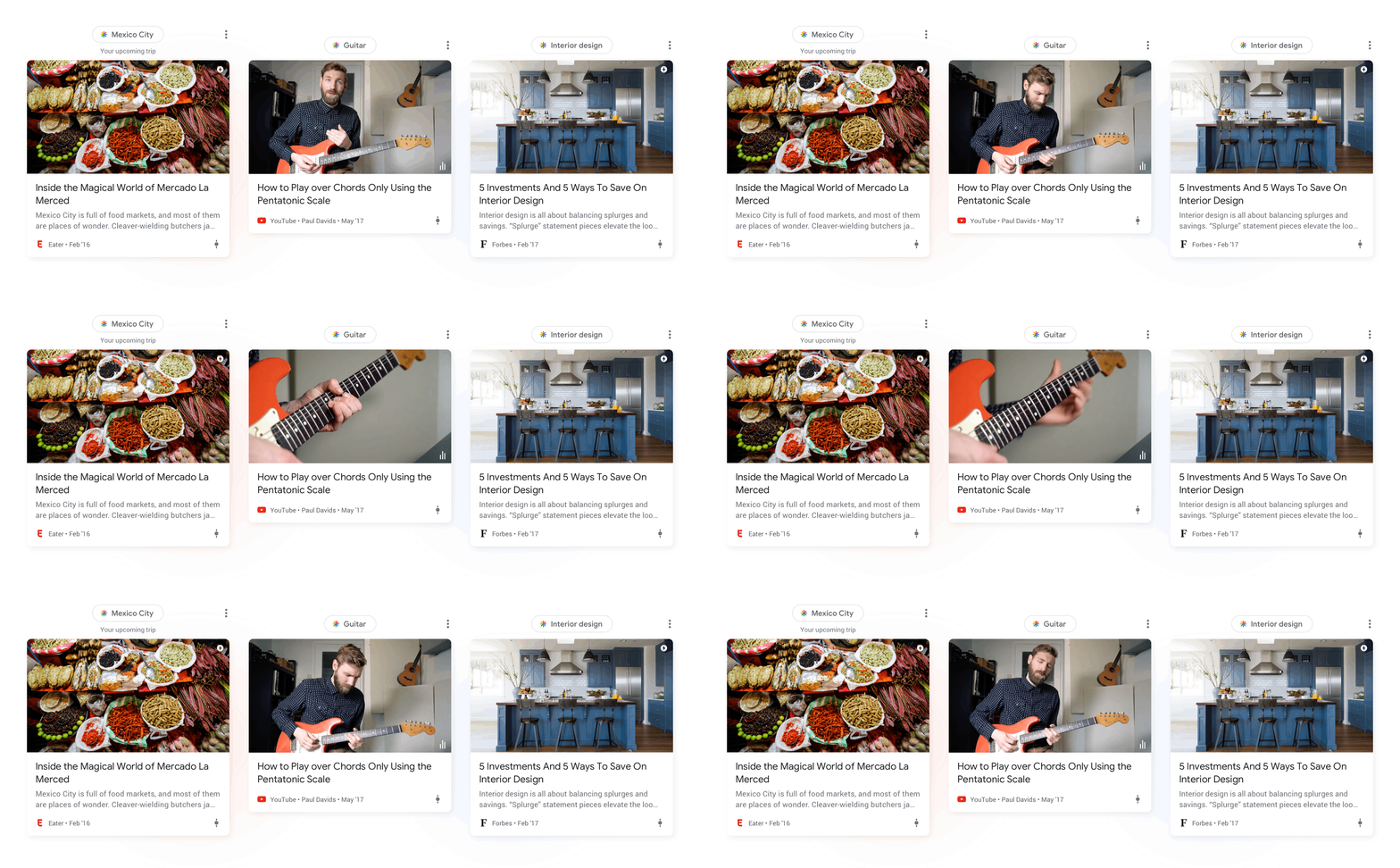
So I wouldn't count on very old content making it into Google's feed selection, at least not in the quantities we'd expect.
What would be worth understanding is why the small amount of evergreen content that does appear is being selected. In most cases, I've seen it's content related to trending topics, or topics that interest the user and have little new content (more opportunities to create content in topics that few people write about).
AMP
Knowing that to appear in some of the Google News carousels on mobile you need to have an AMP version, or be very lucky, it's expected that at some point Google Discover will align with one of the tech giant's bets.
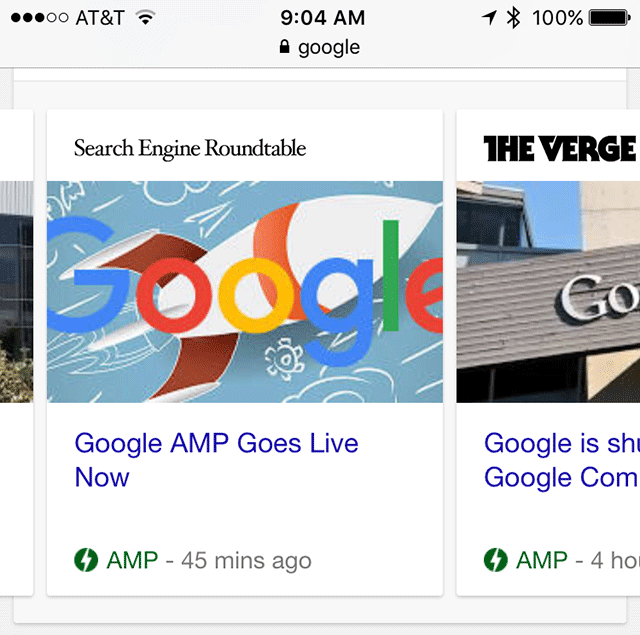
In my opinion, right now there's no such "bonus," but I haven't done any detailed analysis either.
Update: According to what I've been told, Gary Illyes said at SEonthebeach that it's better to have AMP for Google Discover, so the monopolistic prediction I mentioned is confirmed.
Podcasts
Content types like podcasts are gaining and will continue to gain more prominence in results, both in search and in Google Discover.
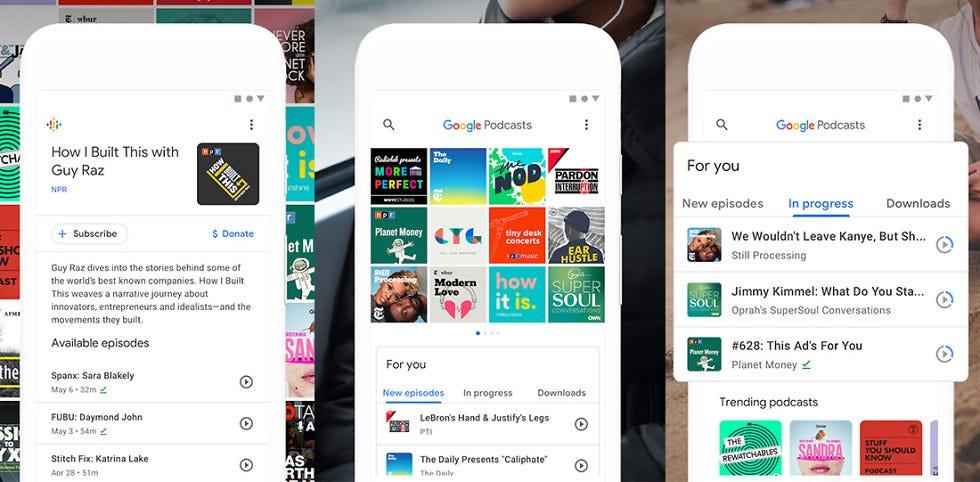
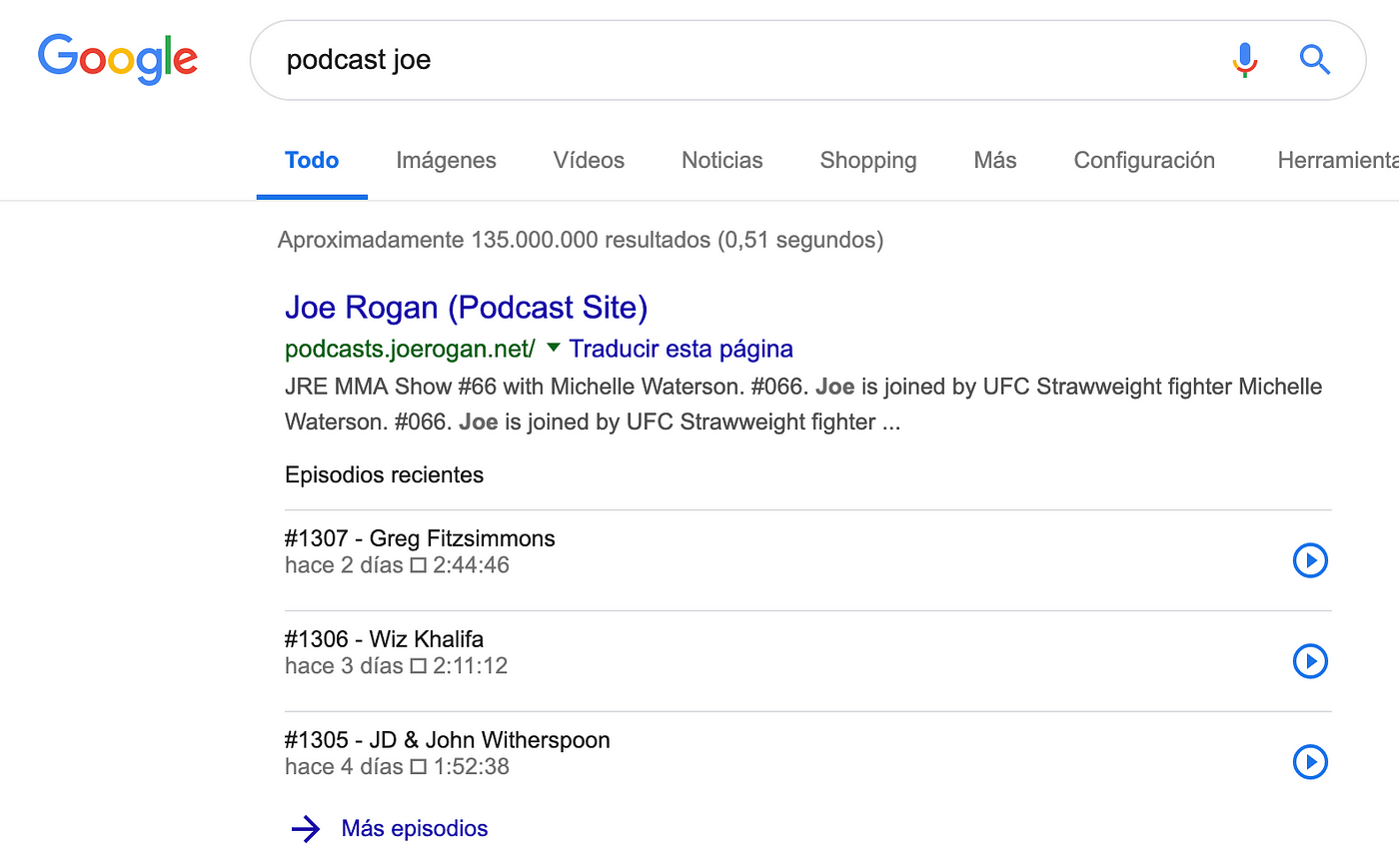
Creating a podcast for this reason alone seems a bit excessive, but if you already have one it might be interesting to add it to Google Podcasts and see if you can associate it with the various entities your podcast is relevant for.
Mobile-only
Google Discover is a mobile-only product. We don't know if it will be incorporated into Google Chrome for desktop in the future, for example, but for now having pages optimized for loading speed, experience, usability, accessibility, and more still sounds like an obvious thing to consider if we want a piece of the pie.
Recurrence and engagement
There's no single way to generate recurrence on a website or app — that would require a series of 20 articles. If we're able to create products that users love, we're more likely to appear than with a website of ten articles written by one person in 15 minutes.
Creating recurrence usually means creating a brand. That doesn't happen overnight and there's no magic formula, but in the end we know it comes down to creating products that provide value to the user and are built for the long term.
If we want the algorithm to understand that our content is relevant enough to enter the second layer of personalization (layer 1 is the interest-based recommendation engine) — that layer where Google shows content relevant to the user even if it's not within the recommended content layer — we need to pass a very strong filter, and that won't be achieved with a website of questionable quality.
There are many ways to create stickiness: web push notifications, email, in-app notifications, SMS, apps, etc. But the best way will always be creating a brand that users remember.
Index
There are still many things to understand about Google Discover. Here are some of them:
- We already know that Googlebot is an internal Google service used by multiple teams. If it shares an index with Google Search, it should be crawled at the same time. If we see duplicate hits, it's likely a separate index.
Update: Thanks to Juan Gonzalez's contribution with the documentation, it appears they might share the same index, though it's still quite unclear (and having the same index doesn't actually give too many clues). Juan's perspective on the topic in the interview by Emilio Garcia is also very interesting.
Google Discover Optimization, by David Esteve
David Esteve gave a great presentation about Google Discover at Congreso Web, and I'd like to recap here some of his findings that weren't in my initial article:
What does it use to personalize results?
Installed apps, Usage frequency, Location, Your fingerprint (?!)
Purchase history, Favorite websites, Credit card data, Your favorite music. Your favorite places, what time your favorite place closes.
A good way to see what people are sharing directly from Google Discover is using the pattern "desde Discover de Google" on Twitter. This gives us access to all the content users share from the app, and then we can add the specific analysis pattern for a website, e.g.: "elpais.com"
You can create trending content in the Google search bar on Android, mainly popular content on social media.
Channels to boost our appearance in Google Discover: Push, email, WhatsApp/Telegram, social media, paid campaigns.
Interesting proposed metric: Users / Time.
Check the last slides for specific tracking tips, especially for AMP/apps (slide 60 onwards).
It's 2020 and Google Discover is still a "Blackbox"
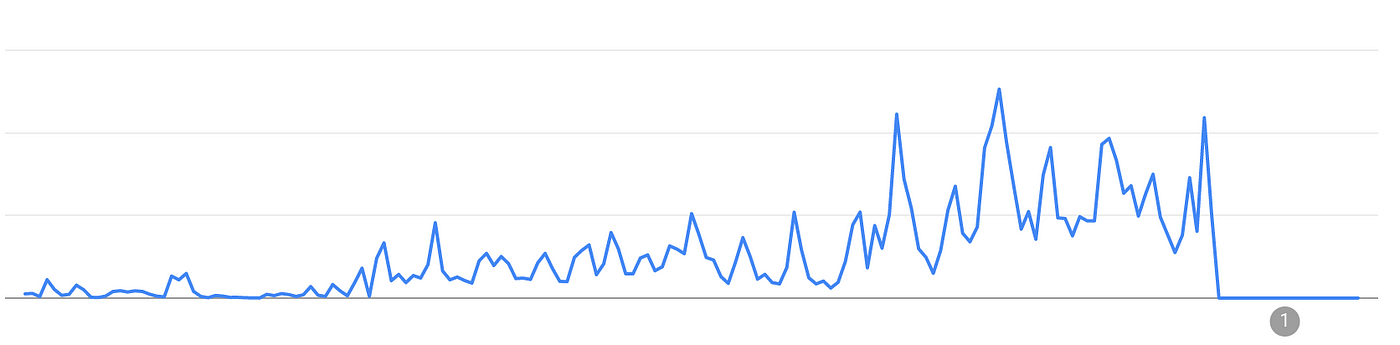
Everything that comes goes, and there have been several cases where I've seen a website appear and disappear from Google Discover suddenly and without any explanation, as well as without any correlation to the site's organic search traffic.
While there may be hints of the reasons, in no case is there a clear explanation or action to take to get back in. We're talking in this last case about a website that was getting six-figure traffic numbers.
Fake news and credibility issues
Google Discover is growing at dizzying volumes, but it's also having many problems maintaining a high quality level while sustaining this growth.
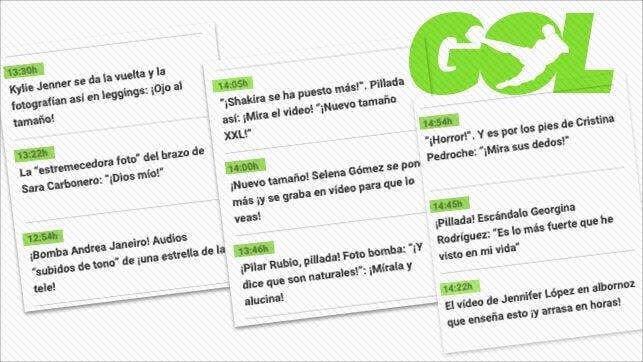
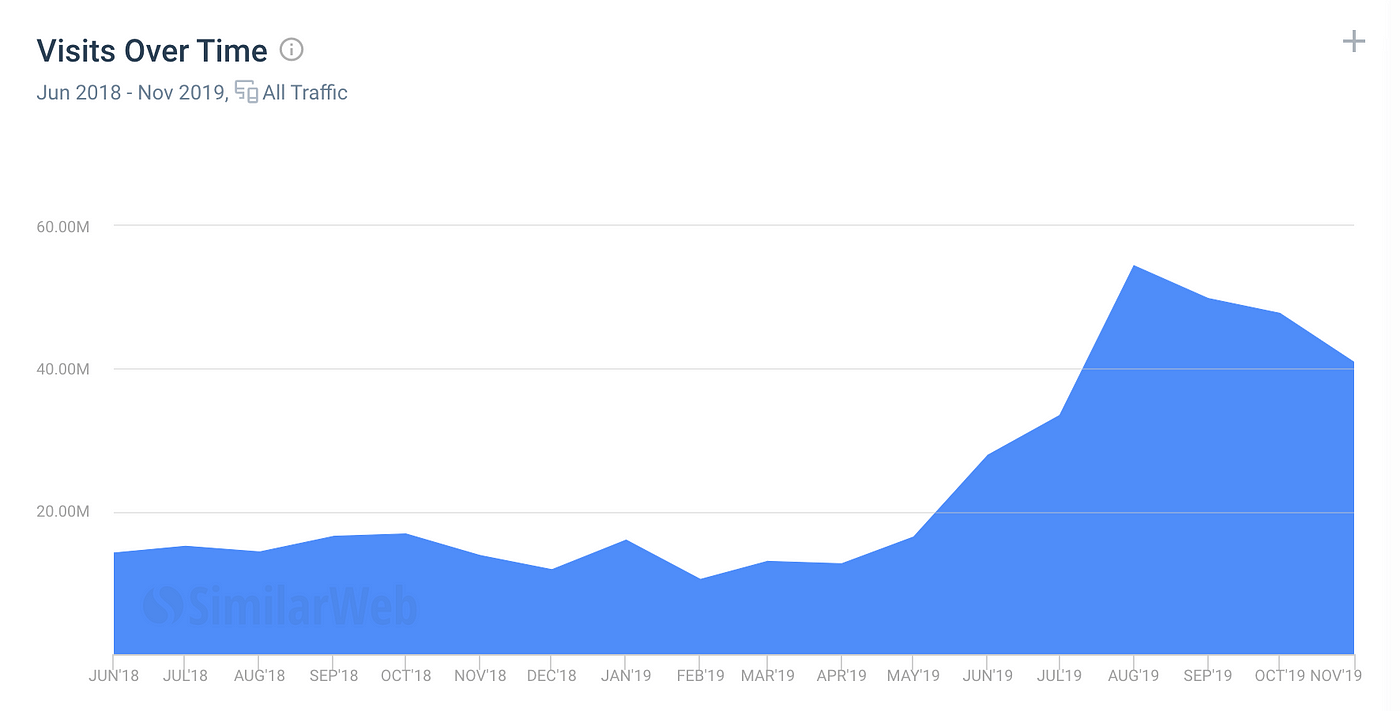
Two articles from El Confidencial and Hipertextual cover the coverage problems that Google Discover offers to media outlets of questionable quality like DiarioGol, among others. This is reminiscent of the golden age of media on Facebook and all the fake news that spread.
Summing up
As I said at the beginning, there's no magic formula, and just as it's increasingly a blackbox to work with Google's search engine, we should understand that it won't be any different with the rest of their products.
Over time, we'll learn more about Google Discover and I'll try to update this resource accordingly.
No checklist, no paradise
As a checklist of things to do, I'd go with the following:
To assess whether it's worth dedicating time to this initiative, check Google Search Console to see if:
- My URLs are attractive enough to receive impressions.
- My URLs are attractive enough to receive clicks.
If the answer is yes, and to "optimize" our appearance in Google Discover a bit:
- Register in Google News if you're a news/current events site.
- Align with entities related to your content, and boost content creation for those entities that generate more interest.
- Featured images with 1:1 and 16:9 proportions that aren't too heavy. 1200px wide ones may perform better according to David Ramos.
- Bet on multimedia content: Images, videos, and podcasts.
- To improve indexing speed, it's highly recommended to have an RSS feed, which is crawled much more frequently than an XML Sitemap (you don't need to be in Google News for this — you can upload it to Google Search Console).
- Try to give a new angle to and update successful evergreen content from the past.
- Optimize your mobile site. If you have AMP, even better (not for now, but perhaps in the future it will matter as it does in Google News), even though we all know it doesn't really help much.
- Foster recurrence and brand for your digital products by betting on quality and differentiation. It's the only way you'll be able to survive in the digital world in the coming years.
- Review this fantastic presentation by David Esteve at Congreso Web in Zaragoza in 2019.
- This article has generated two mentions of the topic in El Confidencial and Hipertextual. I recommend reading other SEOs' and journalists' perspectives, but more importantly, look at the credibility problems it's having by giving coverage to media outlets that promote fake news.
- All the traffic that comes in can vanish like a shooting star, without explanation or actions to get back into Discover.
- In my opinion, in recent months the main shift has been that the system is now a standard recommender system, similar to how a feed would work, and that has given it more mass adoption, at the expense of result quality which was previously more qualitative.
- Some of the country's largest media outlets already get 50% of their total Google Search Console traffic from this source.
To close, I'd like to recommend stepping outside the SEO bubble and seeing how journalists understand Google Discover, since you can extract several actionable ideas and understand the product usage in more detail.
I hope this serves as a starting point for further research and contributions. All knowledge is welcome to improve this article.
See you next time!