It's very common that when we look at our website logs, we panic and start worrying. This is the case of a good friend, Alvaro from iSocialWeb, who was telling me this morning that he was seeing thousands of requests to his wp-login.php page (the login page for the WordPress admin panel). In his case, he had that page blocked by robots.txt, so it certainly wasn't Google's Googlebot, since they treat robots.txt rules as mandatory.
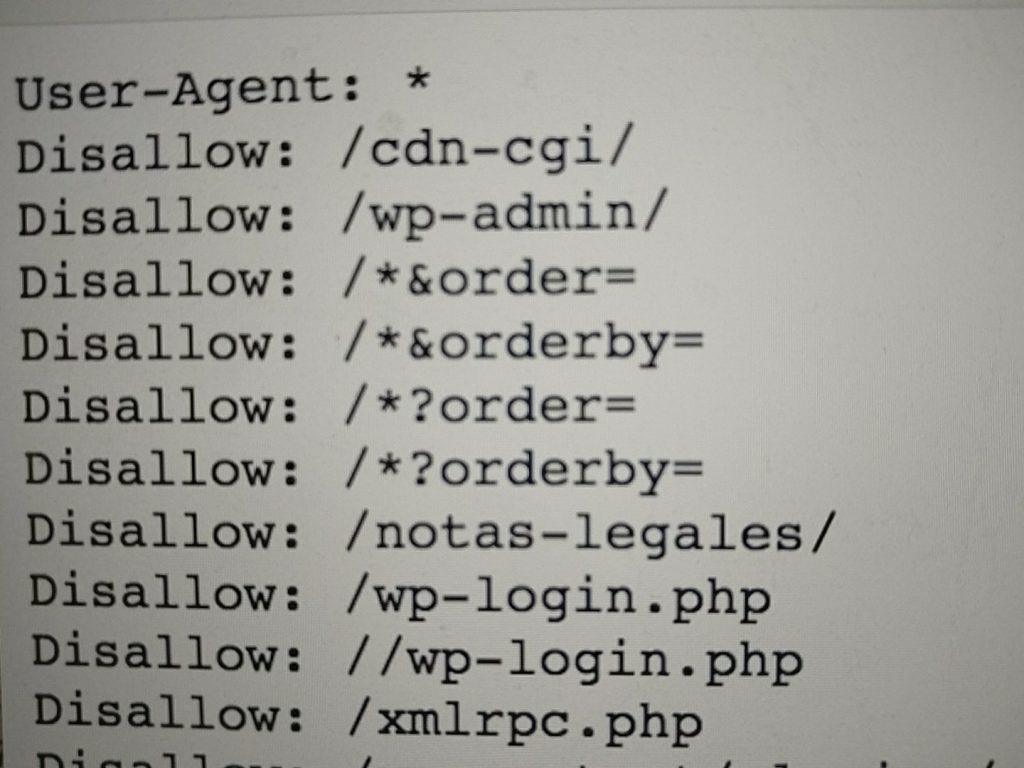
His robots.txt rules
To understand why this can happen, we first need to understand how we identify Googlebot. In his case, he had a huge number of events to this URL:
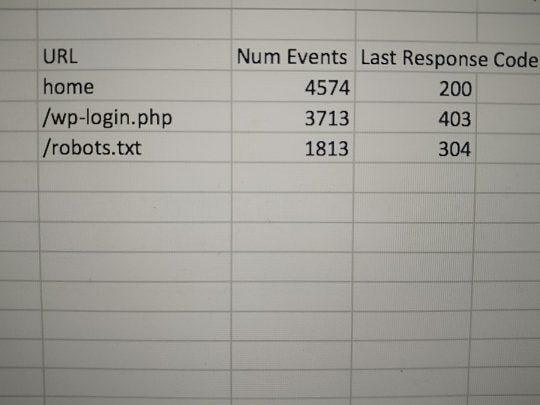
Events to the wp-login.php URL
In Alvaro's case, he was using Screaming Frog Log Analyzer, a very powerful tool that interprets logs and groups them so you can draw conclusions quickly.
One of the problems with these tools is that they don't verify whether Googlebot is actually Google's Googlebot.
Anyone with a simple Screaming Frog Crawler can pretend to be Googlebot, and this same practice is carried out by many spammers to perform brute force attacks on WordPress, since the URL is always the same.
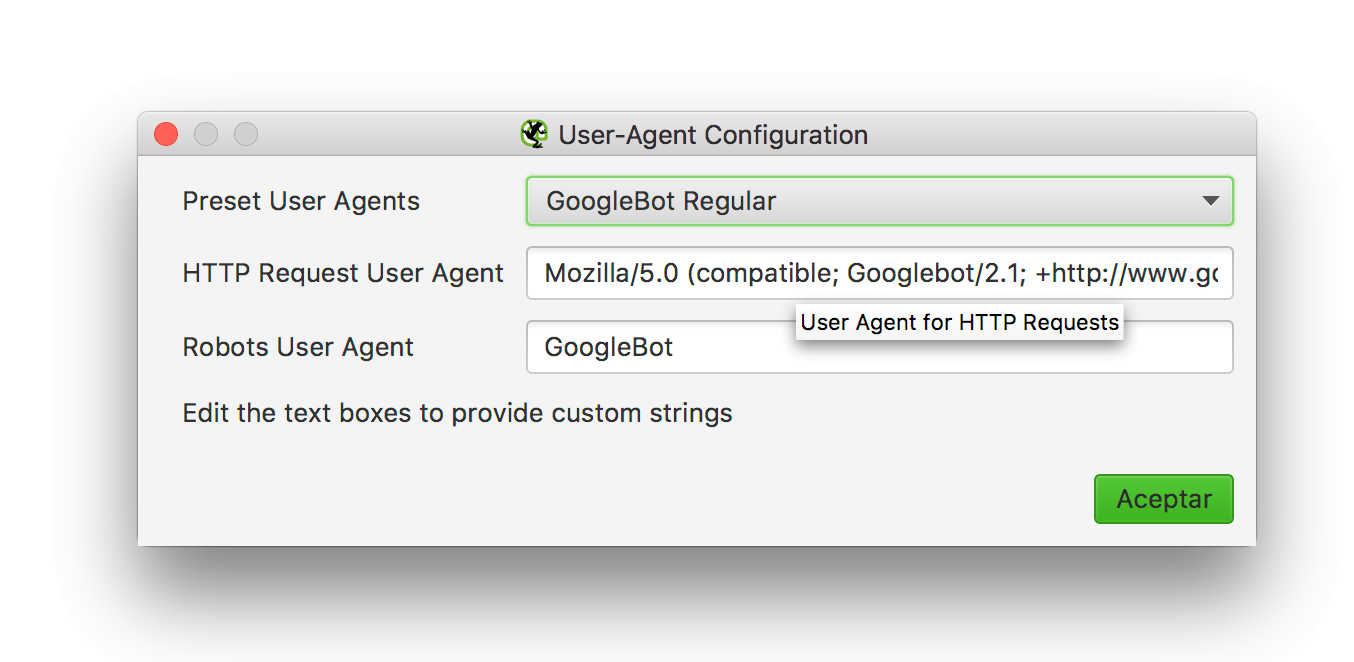
Simulating Googlebot with Screaming Frog
What can we do to fight this type of attack?
I told Alvaro that he first needed to check whether it was actually Googlebot. To do this, we can check in two ways:
In his case it was clear — the IP range wasn't the same.
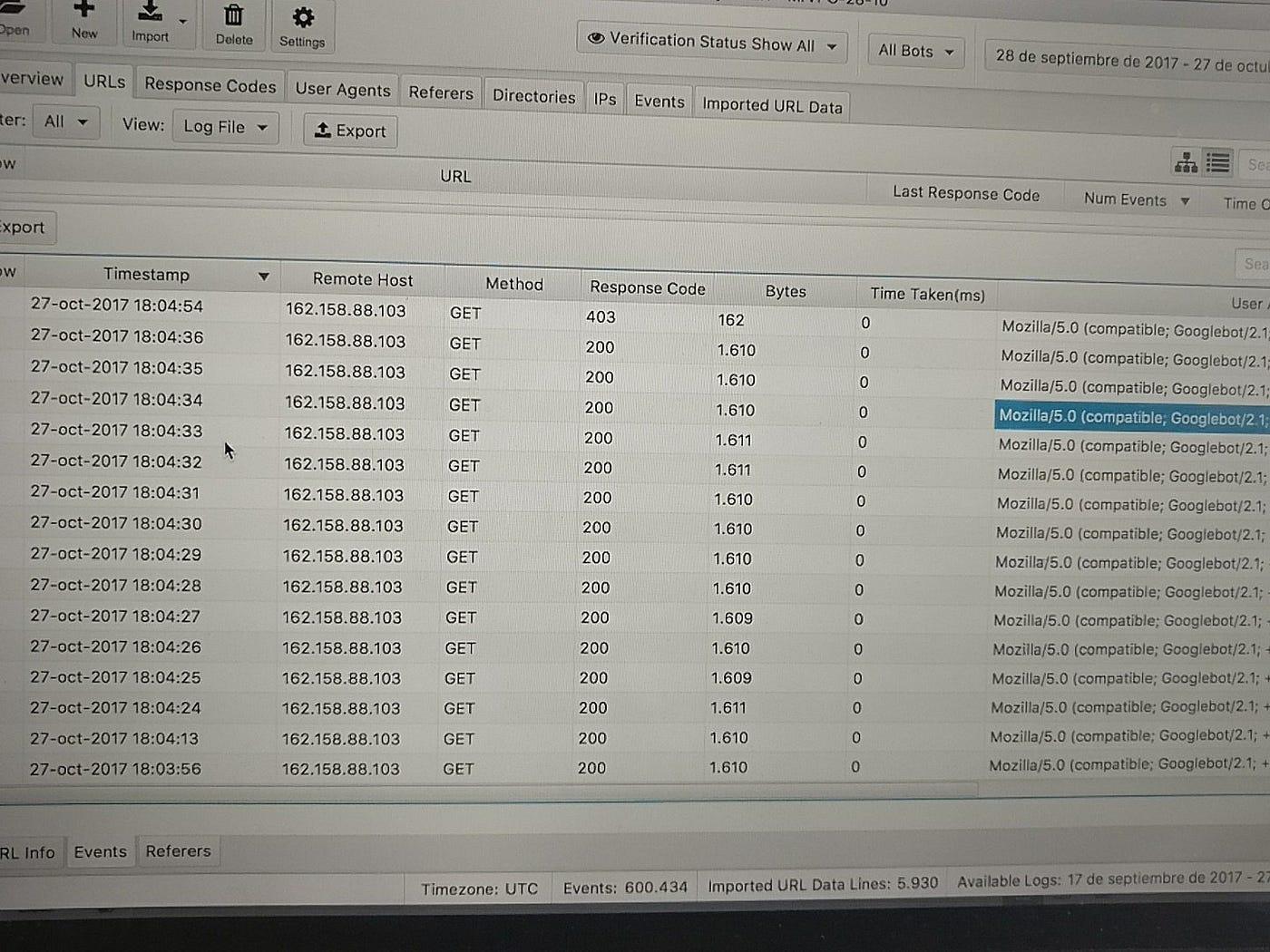
Logs and IPs from Screaming Frog Log Analyzer
So, another case closed where we need to take measures to prevent this from happening.
Examples of actions to take:
- Move the wp-login.php URL to a different custom URL, so we don't have typical patterns.
- Set up a limiter such as Login Lockdown.
Case solved.
See you soon!
Update: How to check without the hassle using Screaming Frog Log Analyzer
Thanks to MJ Cachon for explaining that Screaming Frog Log Analyzer has a column that flags whether a bot is spoofed (fake). Read more about this in the version 2.0 release notes.